


Trace a USB failure from capture readiness through transfers, endpoints, descriptors, class evidence, and raw bytes.
A free USB analyzer: Community Edition includes USBPcap/usbmon capture, packet and protocol evidence, descriptors, endpoints, HID, CDC, Mass Storage, and UVC.
Inspect live USB traffic, decode device evidence, and retain structured .bscope sessions for firmware and hardware debugging.
Bus Scope Community Edition is free to download and use. Complete local USB capture and diagnosis for labs, support desks, and field debugging sessions.
Download Community Edition · Product guide · Help · Report a bug
| Platform | Package | Use it when |
|---|---|---|
| Linux x64 (APPIMAGE) | bus-scope-0.1.10-linux-x64.AppImage | Portable Linux desktop package |
| Linux x64 (DEB) | bus-scope-0.1.10-linux-x64.deb | Debian, Ubuntu, Mint, and compatible systems |
| Linux x64 (RPM) | bus-scope-0.1.10-linux-x64.rpm | Fedora, RHEL, openSUSE, and compatible systems |
| Windows x64 | bus-scope-0.1.10-windows-x64-setup.exe | Guided Windows installer |
Checksums, installation notes, and the complete platform matrix live on the official download page.
- Windows: Windows 10 or Windows 11 on x64.
- Linux: a mainstream x64 distribution with glibc 2.35 or newer, such as Ubuntu 22.04+, Debian 12+, Fedora, or openSUSE (AppImage, DEB, and RPM packages).
- Disk space: a few hundred megabytes free for the application and its bundled resources.
Built for firmware teams, hardware labs, and device vendors who need a repeatable answer to why USB enumeration, descriptors, endpoints, or transfers fail.
Edition boundary: The technical sections below describe the complete product surface and can include optional licensed workflows. The exact free Community Edition scope is listed separately below.
Bus Scope is the focused desktop USB diagnostics workbench for engineers who need live capture, control transfers, descriptors, HID, CDC, mass storage evidence, reports, and saved .bscope sessions without leaving the local lab machine.
Select USB capture adapters, lock a device target, and keep capture state visible while traffic arrives.
Filter by endpoint, direction, transfer type, text, hex, and device context while keeping rows dense and inspectable.
Inspect setup fields, raw bytes, descriptor evidence, class decoder output, status, and diagnostic references.
- Linux usbmon and Windows USBPcap live capture feed a dense transfer timeline instead of forcing every USB diagnostics task through a generic network analyzer.
- Adapter state, device selection, endpoint direction, transfer type, status, text, and hex filters stay visible while traffic arrives.
- The Windows package can include the USBPcap setup path, and the app verifies capture interfaces before declaring live capture ready.
- Setup packets, raw bytes, descriptor evidence, class decoder output, status values, and diagnostic references are tied to the selected transfer.
- Enumeration, endpoint stalls, vendor requests, HID feature reports, CDC line coding, and mass storage command evidence can be reviewed from one USB-first surface.
- Descriptor, HID, CDC, Mass Storage, and UVC interpretation are included in the free Community Edition alongside capture and packet inspection.
- .bscope save/open keeps packets, payload retention, statistics, diagnostics, descriptor evidence, decoded events, and timeline state together.
- Community can export JSON or text; Optional licensing unlocks HTML and PDF report export for customer cases, lab notes, and support handoffs.
- Trigger stop workflows and larger capture query windows support longer investigations without turning the page into a screenshot archive.
- Bus Scope stays USB-only by design, so the workflow starts at device, endpoint, transfer, and payload evidence instead of broad protocol menus.
- Local desktop capture means sensitive firmware, HID, control transfer, and mass storage traces stay in your lab workflow.
- Professional adds only durable .bscope session save/open and HTML/PDF reports; capture, decoding, triggers, large-query inspection, and JSON/text export stay free.
- Native usbmon and USBPcap live capture
- USB device explorer and adapter diagnostics
- Descriptor, HID, CDC, Mass Storage, and UVC interpretation
- Trigger stop workflows
- Large capture queries and packet detail inspection
- JSON and text export
Optional licensed workflows are available for people who need the expanded feature set. Licensing details belong on the website; the Community Edition remains the free way to evaluate and use the core product.
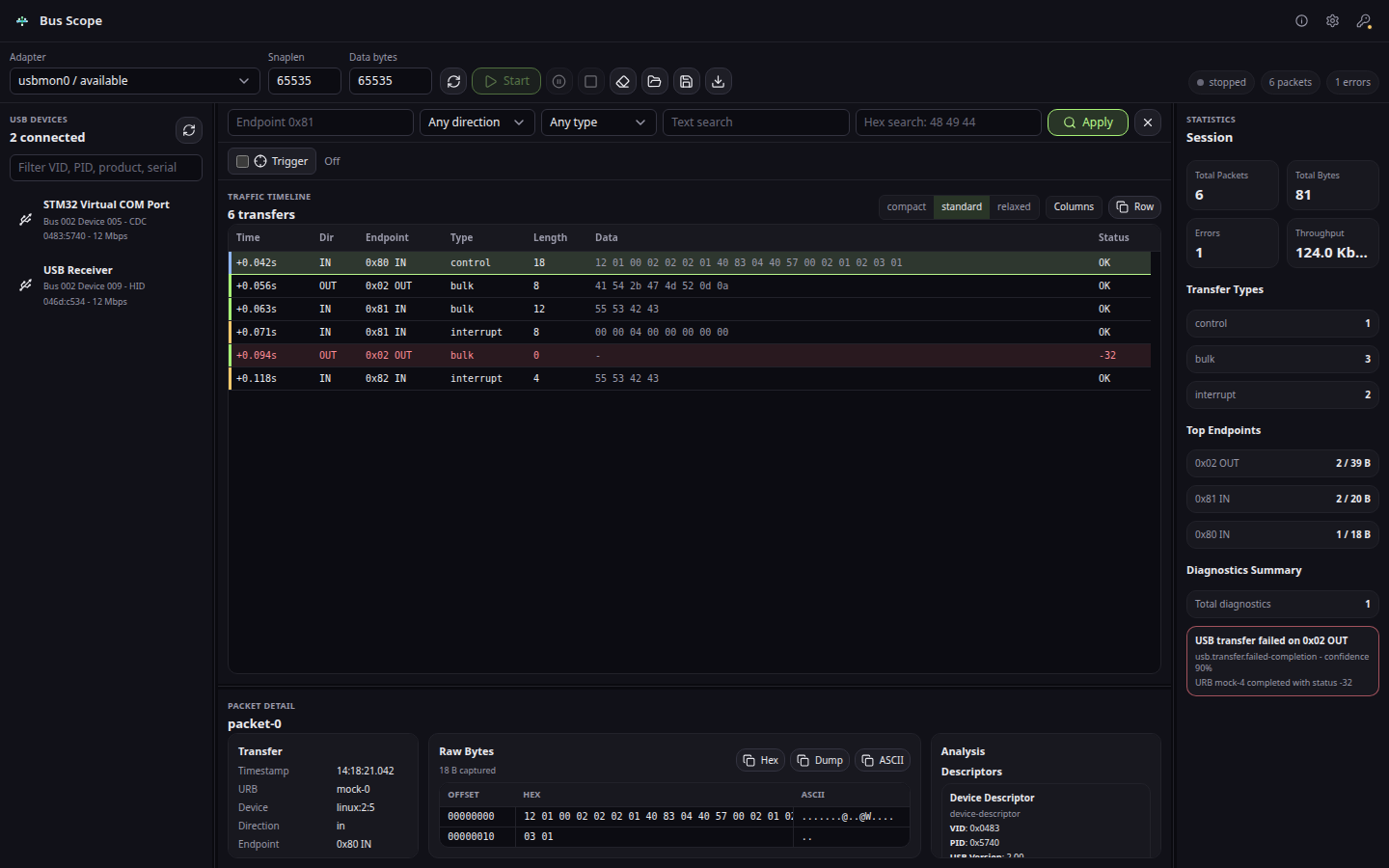
Setup fields, payload bytes, descriptors, and class decoder output.
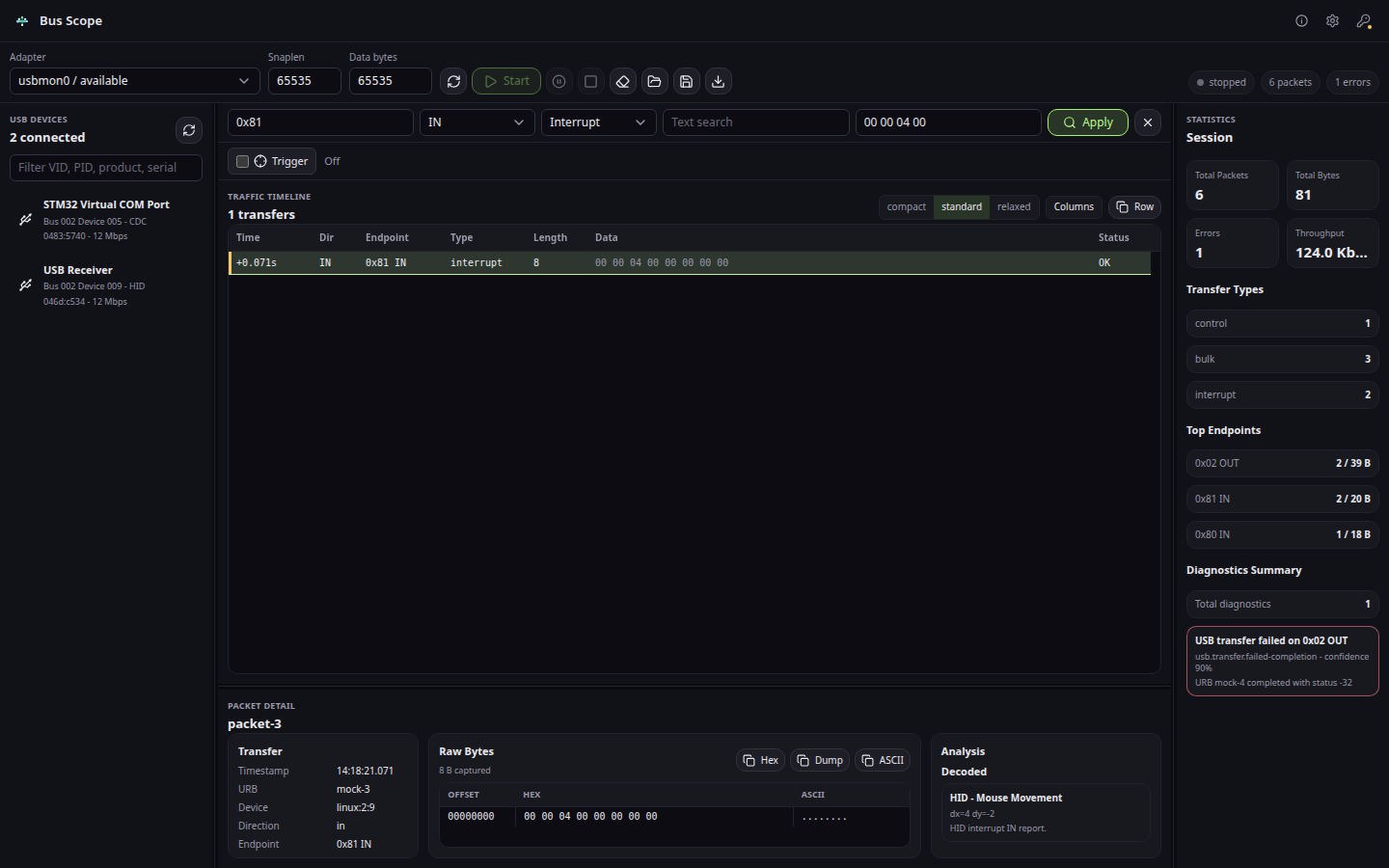
Endpoint, hex, device, and transfer filters for a focused USB case.
Bus Scope is a desktop workflow. Your working files stay on the machine unless you deliberately export or share them. The product page documents the exact capability boundary so the focused workflow can be evaluated on real evidence.
- Connect to a USB Device
- Bus Scope License
- Platform Capture Setup
- Saving and Comparing USB Sessions
- USB Capture Troubleshooting
Community scope: Community Edition includes native live capture, descriptor and HID/CDC/Mass Storage/UVC interpretation, trigger stops, packet detail, and JSON or text export; .bscope save/open and HTML/PDF reports are optional licensed workflows.
Is Bus Scope a hardware USB analyzer?
No. Bus Scope is a software-only USB diagnostics desktop workbench. It captures USB traffic using the built-in Linux usbmon and Windows USBPcap interfaces — no external hardware analyzer required.
Does Bus Scope work on both Linux and Windows?
Yes. On Linux it captures via usbmon. On Windows it captures via USBPcap (the Windows installer can include the USBPcap setup path).
Who uses Bus Scope?
Firmware engineers, hardware labs, USB device vendors, and support teams who need a repeatable, reportable answer to why USB enumeration, descriptors, endpoints, or transfers fail.
Should I use Bus Scope or Wireshark with USBPcap?
Use Wireshark and USBPcap when you need a free general packet analyzer and already know how to build the USB workflow yourself. Use Bus Scope when your work is mostly USB firmware debugging and you want descriptor, endpoint, control transfer, session, and report evidence in one focused desktop tool.
Is USBPcap by itself enough for Windows USB debugging?
USBPcap is enough to collect host-visible USB traffic, but it does not provide the full diagnostics workflow. Bus Scope adds product-level capture readiness, USB-first filtering, descriptor interpretation, endpoint context, .bscope sessions, and report export around that capture path.
When do I need a hardware USB analyzer instead of Bus Scope?
Use hardware when the question is physical-layer proof: electrical behavior, signal integrity, link timing, compliance evidence, or a failure that never reaches the host capture layer. Use Bus Scope first for enumeration, descriptor, endpoint, control transfer, HID, CDC, mass storage, and UVC cases visible to the host.
- Bugs: open a structured bug report
- Ideas: request a focused workflow improvement
- Product help: documentation and troubleshooting
- Private support: support@hannes-software.com
- Security reports: follow SECURITY.md; do not post sensitive files, credentials, patient data, or private captures in public issues.
This is the official public distribution and community repository for Bus Scope: verified release links, current screenshots, documentation routes, issue intake, and security guidance. Product development happens in a private workspace; public issues here are the right place to report reproducible product behavior and request focused improvements.