


Connect the front desk, operatory, ledger, images, follow-up, and restorable backups in one local clinic record.
Free Community Edition dental clinic management software for local patients, appointments, FDI charting, billing, visit workflow, and restorable backups.
Dental Ark gives a single dental clinic one local system for patients, appointments, visits, FDI tooth charting, treatment records, billing, images, follow-ups, PDF export, and manual backups. No internet required. The Community Edition is free. Optional licensed capabilities add advanced workflows; see the product page for current access details.
Dental Ark Community Edition is free to download and use. Full clinic workflow for evaluation. Up to 50 patients, 200 visits, 200 appointments, and 100 images. Backups included.
Download Community Edition · Product guide · Help · Report a bug
| Platform | Package | Use it when |
|---|---|---|
| Linux x64 (APPIMAGE) | dental-ark-0.1.6-linux-x64.AppImage | Portable Linux desktop package |
| Linux x64 (DEB) | dental-ark-0.1.6-linux-x64.deb | Debian, Ubuntu, Mint, and compatible systems |
| Linux x64 (RPM) | dental-ark-0.1.6-linux-x64.rpm | Fedora, RHEL, openSUSE, and compatible systems |
| Windows x64 | dental-ark-0.1.6-windows-x64-setup.exe | Guided Windows installer |
Checksums, installation notes, and the complete platform matrix live on the official download page.
- Windows: Windows 10 or Windows 11 on x64.
- Linux: a mainstream x64 distribution with glibc 2.35 or newer, such as Ubuntu 22.04+, Debian 12+, Fedora, or openSUSE (AppImage, DEB, and RPM packages).
- Disk space: a few hundred megabytes free for the application and its bundled resources.
Cloud dental platforms charge monthly, require internet, and lock your patient data on someone else's server. Dental Ark puts the clinic's patient records, appointments, billing, and images on your own computer — where you control them and back them up, with no subscription required.
Edition boundary: The technical sections below describe the complete product surface and can include optional licensed workflows. The exact free Community Edition scope is listed separately below.
Dental Ark is built for clinic owners who want control over their patient data, predictable costs, and a system that works even when the internet doesn't. No AI diagnosis. No cloud dependency. No monthly payment.
Register new patients in seconds. Schedule, reschedule, and track appointments. The daily queue shows who's arriving, waiting, and in treatment — your front desk always knows what's happening.
Document every visit with tooth-level detail. Mark conditions per tooth, attach intraoral images, write treatment notes, and track history across visits. Records can be drafted, confirmed, and amended with audit trails.
Create itemized bills, record payments (cash, card, transfer), track unpaid balances, and export billing summaries. No percentage fees on transactions — you keep what you charge.
- Start with the free Community Edition for up to 50 patients, 200 visits, 200 appointments, and 100 images. Optional licensed capabilities add advanced workflows.
- Internet goes down? Dental Ark keeps running. Patient records, appointments, billing — all local. No "connecting to server" spinner while a patient waits at the front desk.
- Data lives in local SQLite. Images stay in your application data folder. You own the files.
- Manual backup creates a complete zip with database, images, config, and manifest. Copy it to a USB drive, external disk, or network folder.
- FDI tooth charting is native, not an afterthought. Mark conditions per tooth, attach images, and link treatment to specific teeth across visits.
- Appointment → arrival → treatment → record → bill → follow-up: the natural dental visit flow is built into the UI, not hidden behind menus.
- Front desk view and dentist view show different information — reception sees the queue and schedule, dentists see patient history and tooth records.
- No cloud server has your patient database. No third party processes your billing data. No "terms of service" can change how you access your own records.
- Export patient records as PDF. Export billing data as CSV. Your data is portable — no vendor lock-in.
- Audit logs track record changes. Drafts → confirmed → archived — every stage is visible. Patient records can't be silently overwritten.
- Patient registration and scheduling
- Appointment calendar and daily queue
- Visit records and treatment notes
- FDI tooth charting
- Billing and payment tracking
- Image attachments
- Manual backup and restore
Optional licensed workflows are available for people who need the expanded feature set. Licensing details belong on the website; the Community Edition remains the free way to evaluate and use the core product.
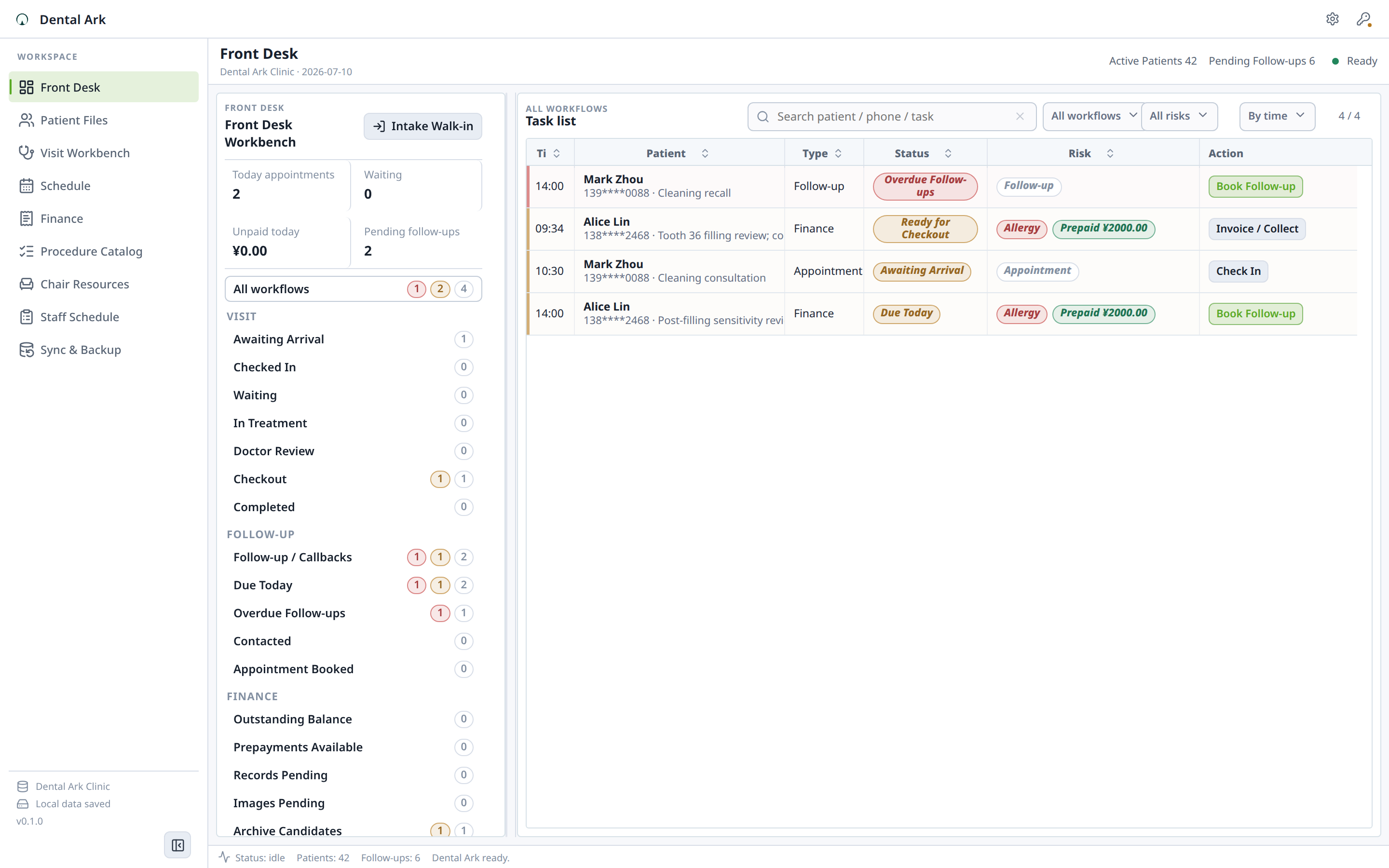
Arrival, waiting, treatment, checkout, balance, and follow-up work in one queue.
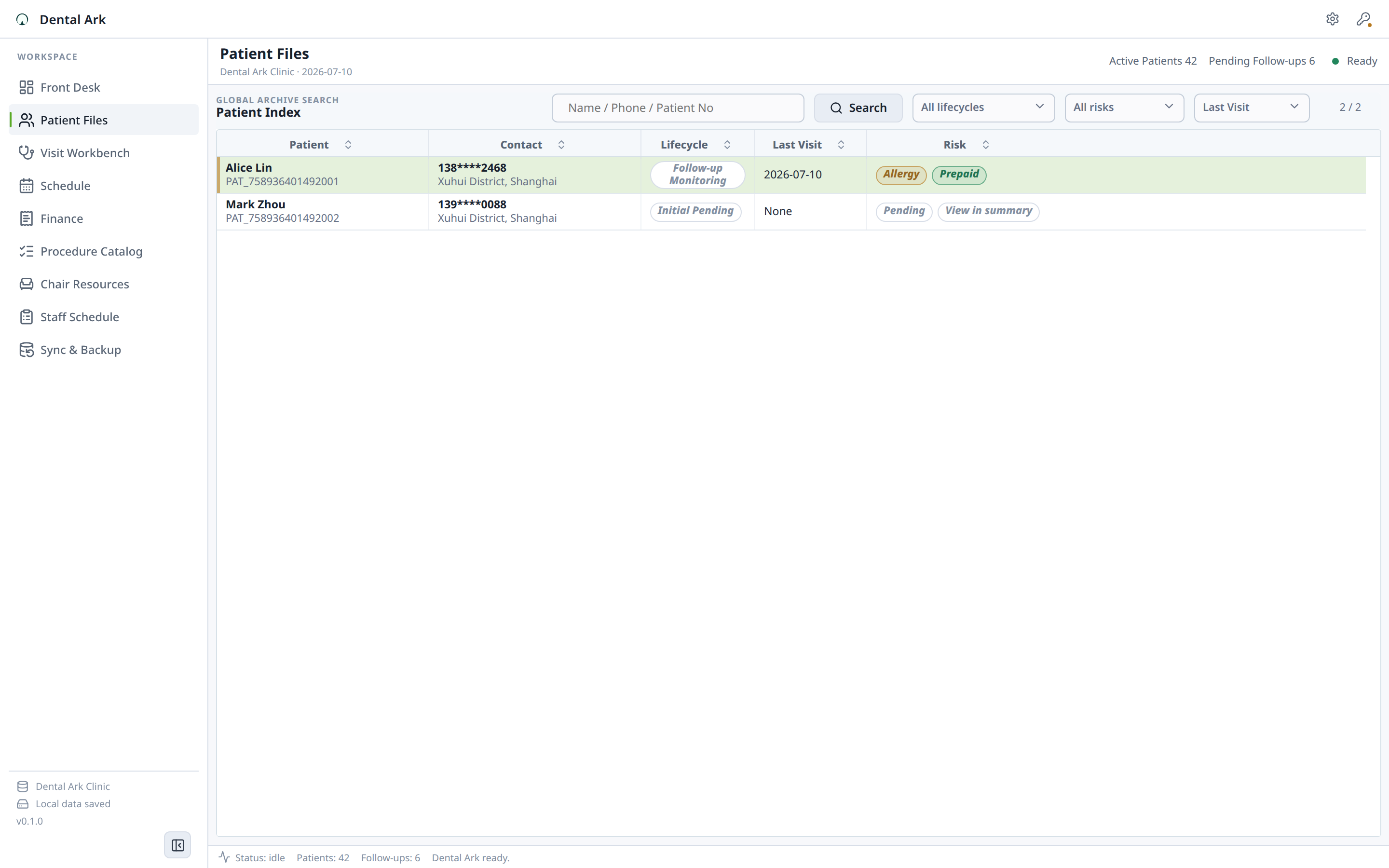
Search, filter, and open patient files from a dense local clinic index.
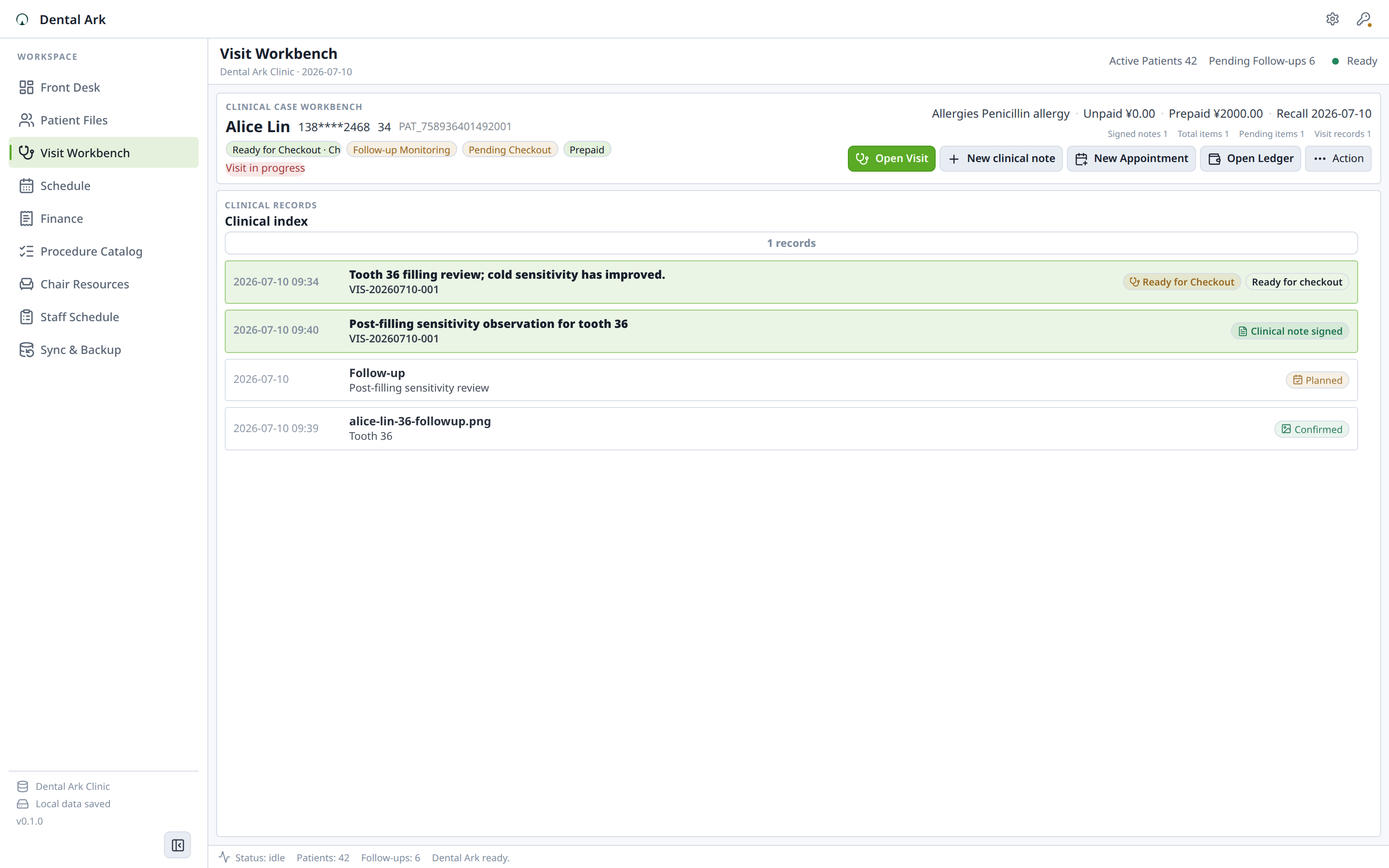
Treatment context, clinical notes, dental charting, and visit workflow in one workspace.
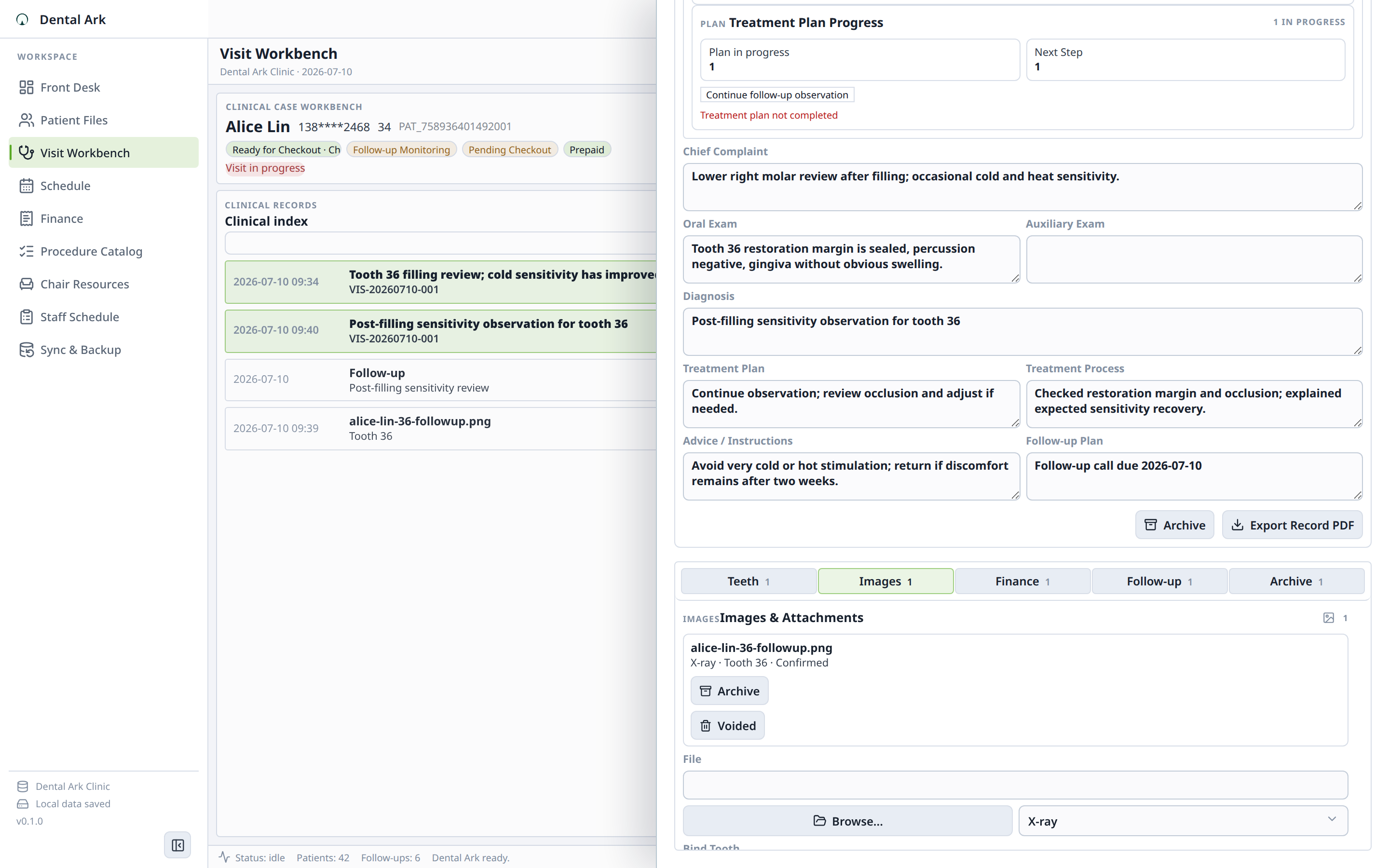
FDI tooth charting with image attachments and tooth-level context.
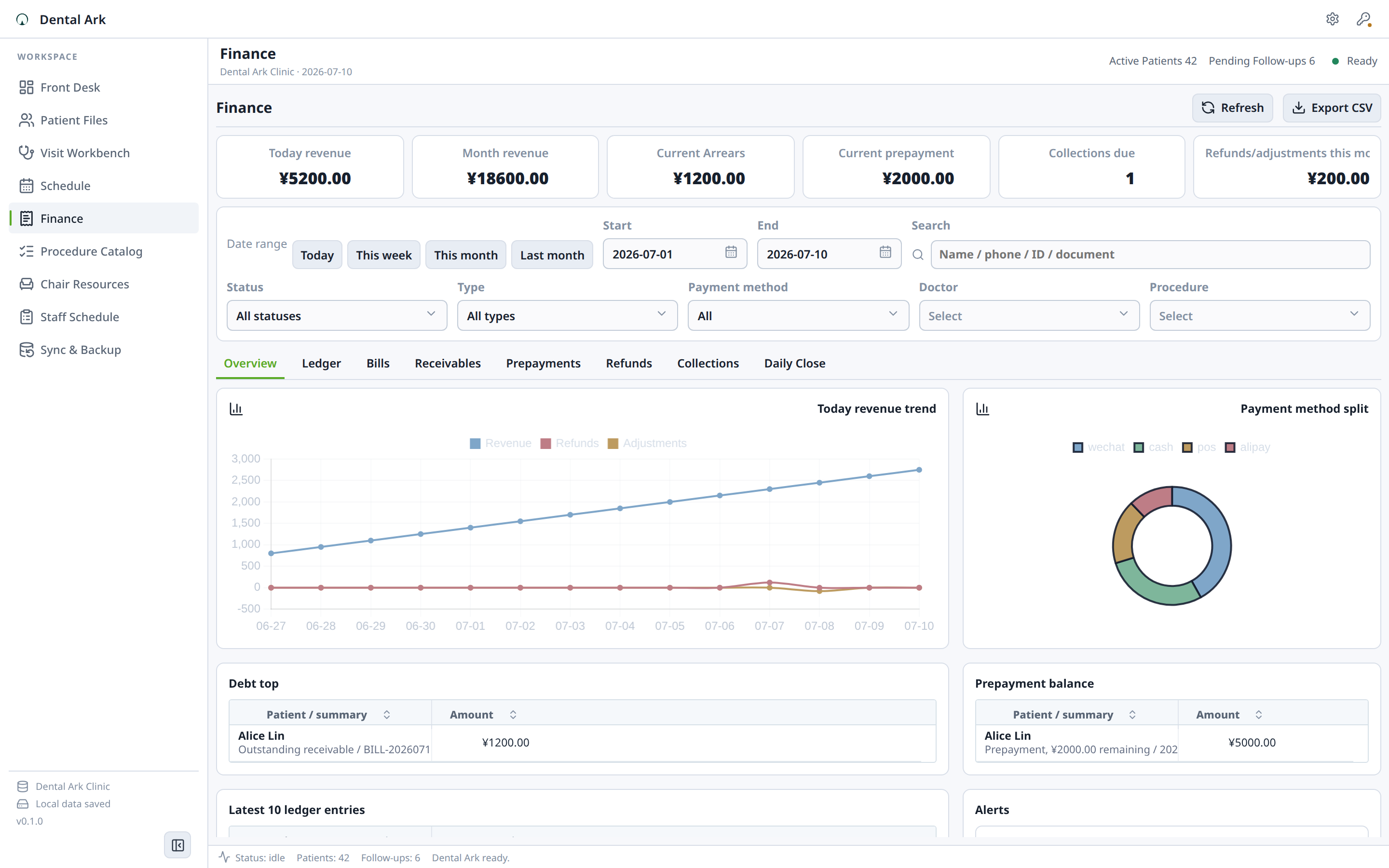
Bills, payments, balances, adjustments, and clinic revenue evidence.
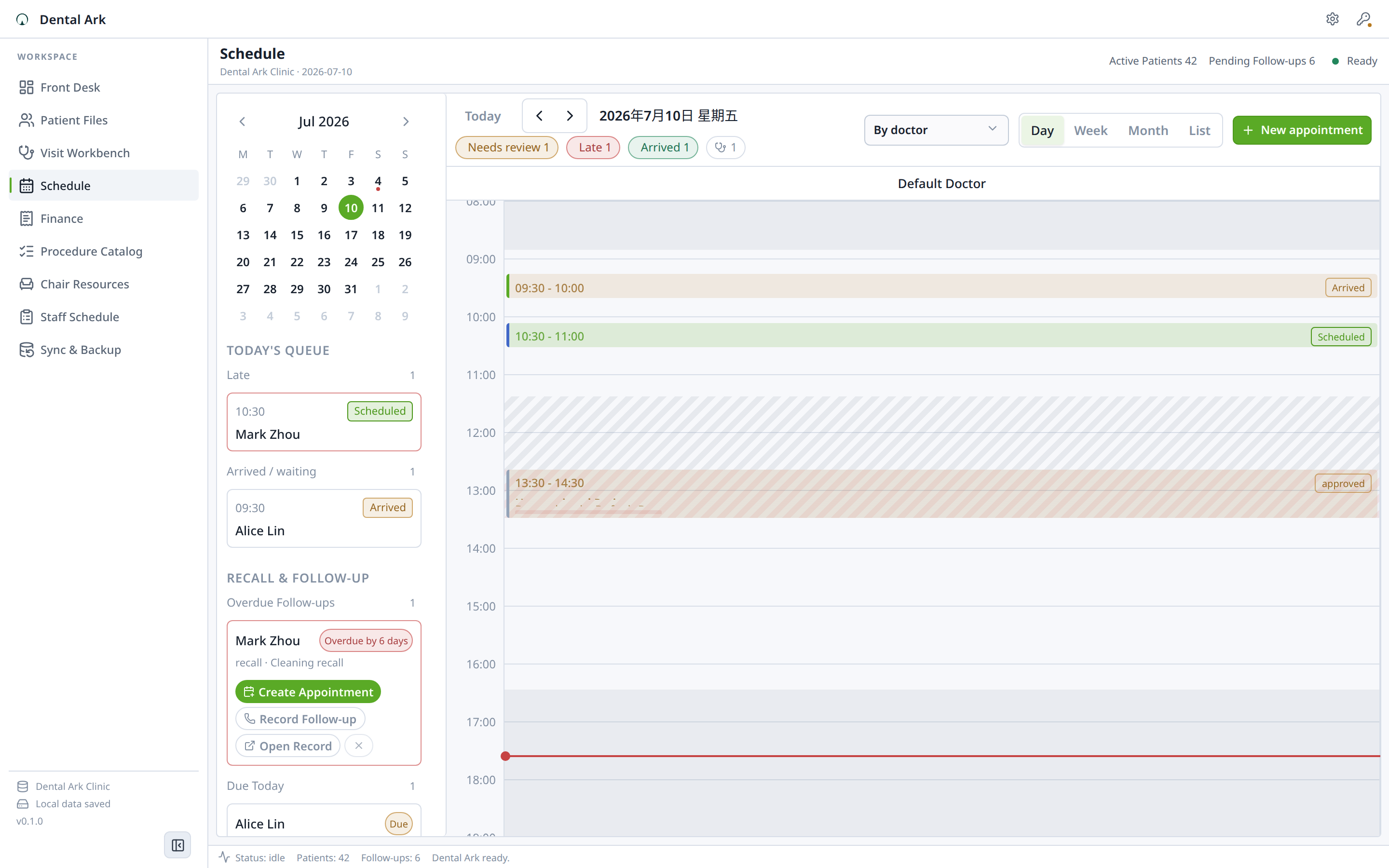
Appointments, chair timing, patient context, and daily clinic flow.
Dental Ark is a desktop workflow. Your working files stay on the machine unless you deliberately export or share them. The product page documents the exact capability boundary so the focused workflow can be evaluated on real evidence.
- Backup and Restore
- Billing and Payments
- Dental Ark getting started: prove the first workflow before using live data
- Quickstart: "Set Up Your Clinic"
- Daily Clinic Workflows
Does Dental Ark work without internet?
Yes. Dental Ark is a local desktop application. All patient data, appointments, records, images, and billing are stored on your computer. No internet connection is required for any core function.
Is Dental Ark a cloud/SaaS system?
No. Dental Ark installs on your Windows or Linux desktop. There is no cloud server, no monthly subscription, and no vendor access to your patient data. You own and control everything.
Does Dental Ark include AI diagnosis?
No. Dental Ark is an administrative tool for patient records, appointments, billing, and documentation. It does not attempt to diagnose patients or recommend treatments. Clinical decisions remain entirely with the dentist.
What happens if I don't renew? Does my data get locked?
There is no subscription to renew. The Community Edition remains free, and any optional paid unlock is permanent. Your data remains in local SQLite and image files on your computer even if you uninstall the software.
How do I back up my patient data?
Settings → Backup → Create Backup generates a complete zip file with your database, images, configuration, and manifest. Copy this file to an external drive, USB stick, or network location. Restore from any backup file on any computer.
Can I export my patient records if I switch to another system?
Yes. Patient records can be exported as PDF. Billing data can be exported as CSV. There is no vendor lock-in — your data is in standard formats on your computer.
- Bugs: open a structured bug report
- Ideas: request a focused workflow improvement
- Product help: documentation and troubleshooting
- Private support: support@hannes-software.com
- Security reports: follow SECURITY.md; do not post sensitive files, credentials, patient data, or private captures in public issues.
This is the official public distribution and community repository for Dental Ark: verified release links, current screenshots, documentation routes, issue intake, and security guidance. Product development happens in a private workspace; public issues here are the right place to report reproducible product behavior and request focused improvements.