CodeX Docs is a free docs application. It's based on Editor.js ecosystem which gives all modern opportunities for working with content.
You can use it for product documentation, for internal team docs, for personal notes or any other need.
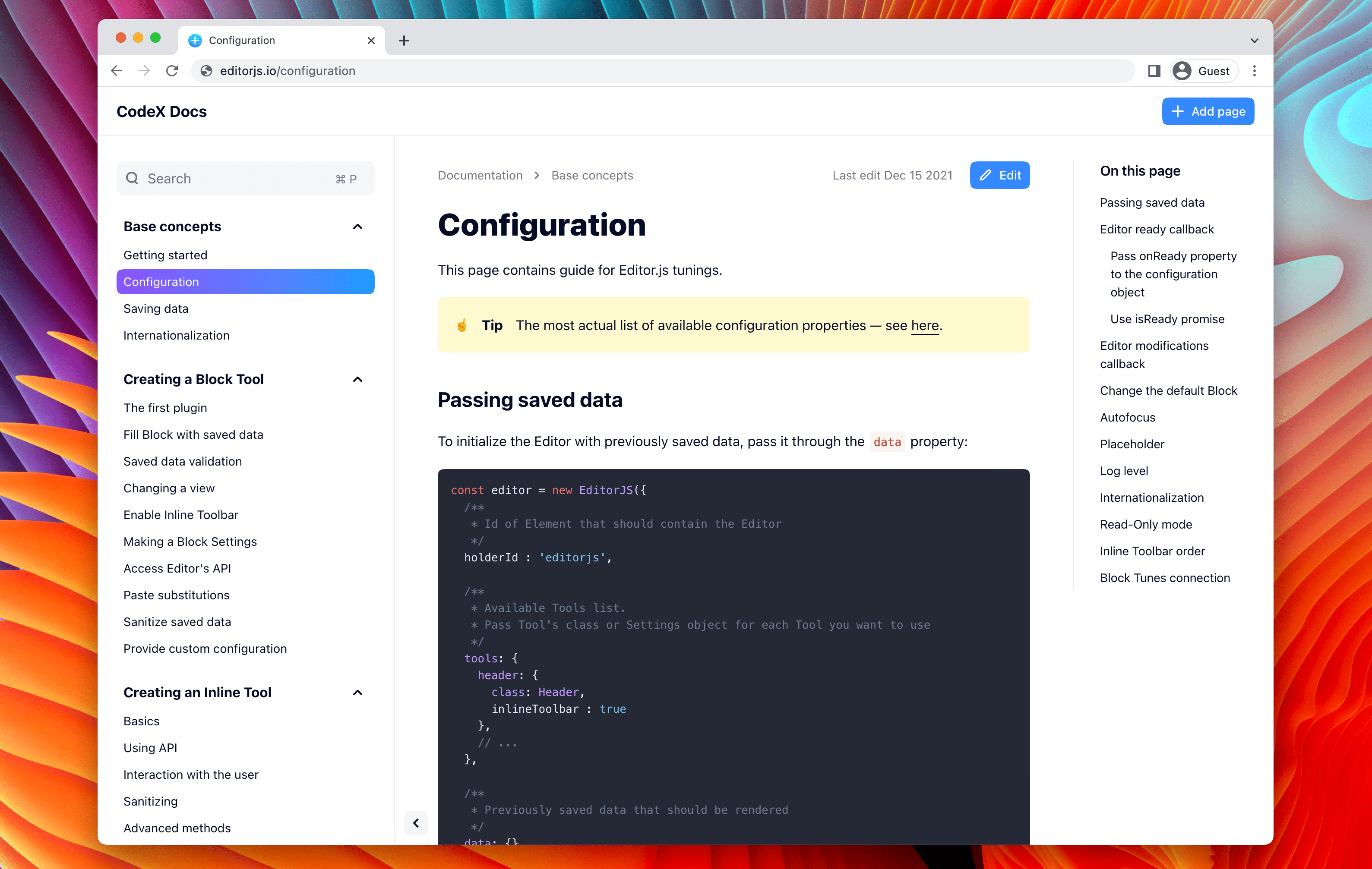
It's super easy to install and use.
- 🤩 Editor.js ecosystem powered
- 📂 Docs nesting — create any structure you need
- 💎 Static rendering
- 📱 Nice look on Desktop and Mobile
- 🌙 Dark mode — system preference detection, manual toggle, localStorage persistence
- 🔥 Beautiful page URLs. Human-readable and SEO-friendly.
- 🦅 Hawk is hunting. Errors tracking integrated
- 💌 Misprints reports to the Telegram / Slack
- 📈 Yandex Metrica integrated
- 🚢 Deploy easily — no DB and other deps required
- 🤙 Simple configuration
- ⚙️ Tune UI as you need. Collapse sections, hide the Sidebar
Here is our Demo Application where you can try CodeX Docs in action.
- Getting Started
- Configuration
- Kubernetes deployment
- Authentication
- Writing
- How to enable analytics
- Contribution guide
git clone https://github.com/codex-team/codex.docsRead about available configuration options.
yarn && yarn startdocker-compose build
docker-compose up
We have the ready-to-use Helm chart to deploy project in Kubernetes
The dark mode feature is available in the feature/dark-mode branch. It includes:
- System preference detection
- Manual toggle button in the header
- localStorage persistence
- WCAG 2.1 AA accessibility compliance
- Node.js 20 or higher is required (eslint-plugin-jsdoc@62.9.0+ only supports Node 20+)
- Update your Node.js if you're running an older version:
node --version
# Checkout the dark mode branch
git checkout feature/dark-mode

# Install dependencies (--ignore-engines bypasses Node version warnings)
yarn install --ignore-engines

# Start the dev server
yarn dev
Access the app at http://localhost:3000 and click the sun/moon toggle in the header.
# Checkout the dark mode branch
git checkout feature/dark-mode

# Create local config
cp docs-config.yaml docs-config.local.yaml

# Build and start
docker compose up -d --build
Access the app at http://localhost:3000 with the toggle button visible in the header.
See documentation for developers in DEVELOPMENT.md.
CodeX is a team of digital specialists around the world interested in building high-quality open source products on a global market. We are open for young people who want to constantly improve their skills and grow professionally with experiments in cutting-edge technologies.
| 🌐 | Join 👋 | ||
|---|---|---|---|
| codex.so | codex.so/join | @codex_team | @codex_team |