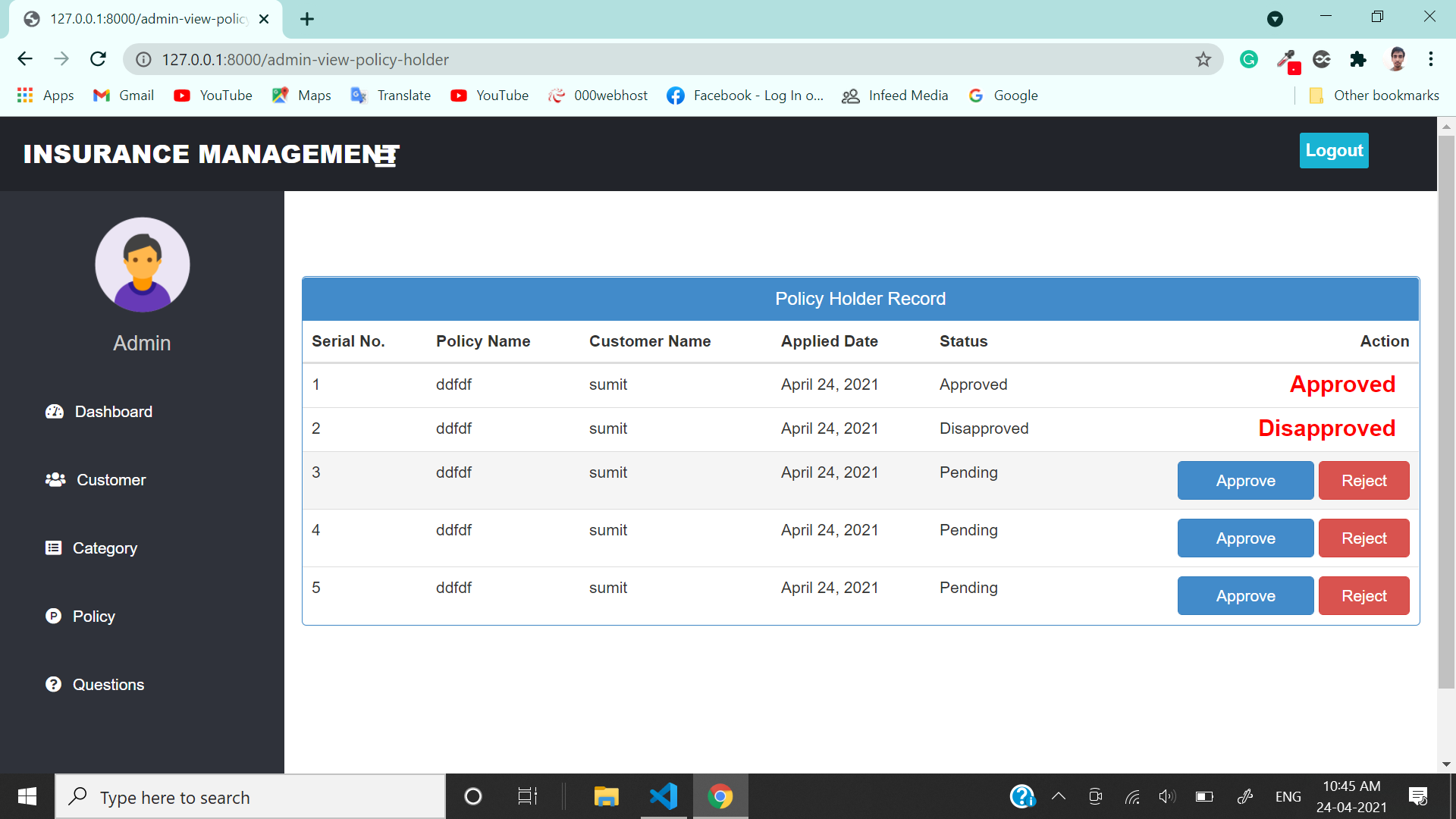
Admin account can be created using createsuperuser command.
After login, admin can view/update/delete customer
Can view/add/update/delete policy category like Life, Health, Motor, Travel
Can view/add/update/delete policy
Can view total policy holder, approved policy holder, disapproved policy holder
Can approve policy, applied by customer
Can answer customer question
Create account (no approval required by admin)
After login, can view all policy that are added by admin.
If customer likes any policy, then they can apply for it.
When customer will apply for any policy, it will go into pending status, admin can approve it.
Customer can check status of his policy under history section
Customer can ask question from admin.
Install Python(3.7.6) (Dont Forget to Tick Add to Path while installing Python)
Open Terminal and Execute Following Commands :
python -m pip install -r requirements.txt
Download This Project Zip Folder and Extract it
Move to project folder in Terminal. Then run following Commands :
py manage.py makemigrations
py manage.py migrate
py manage.py runserver
Now enter following URL in Your Browser Installed On Your Pc
CHANGES REQUIRED FOR CONTACT US PAGE
In settins.py file, You have to give your email and password
EMAIL_HOST_USER = 'youremail@gmail.com'
EMAIL_HOST_PASSWORD = 'your email password'
EMAIL_RECEIVING_USER = 'youremail@gmail.com'
Login to gmail through host email id in your browser and open following link and turn it ON
https://myaccount.google.com/lesssecureapps