
Author & Architect: Robina Mirbahar (Google Developer Expert in Cloud & AI)
Focus: Interactive AI-Powered Python Tutor (Variables to Metaclasses & 50+ Hands-On Exercises) with Streamlit & Google Gemini
I built the Python Learning Assistant to guide learners from foundational syntax (variables, loops) to advanced software engineering (decorators, generators, metaclasses) using adaptive Socratic hints rather than just dumping solutions.
I curated more than 50 progressive exercises where the Gemini-powered evaluator inspects AST structure, edge cases, and PEP 8 style in real time.
By packaging the tutor in a clean Streamlit interface, students and workshop attendees can practice Python interactively from any laptop or tablet.
flowchart TD
    subgraph UI ["1. Interactive Streamlit Learning Portal"]
        U_Mod["Curriculum Selector (Basics ➔ OOP ➔ Metaclasses)"]
        U_Code["Interactive Code Editor & 50+ Exercises"]
        U_Chat["Socratic AI Mentor Q&A"]
    end
    subgraph Tutor ["2. Gemini Pedagogical Evaluation Engine"]
        T_Check["Code Correctness & Edge-Case Grader"]
        T_Hint["Adaptive Hint & Concept Visualizer"]
        T_PEP["PEP 8 Idiomatic Style Coach"]
    end
    subgraph Progress ["3. Learner Mastery Tracking"]
        P_State["Session Progress & Skill Badges"]
    end
    U_Mod --> U_Code --> T_Check
    U_Chat --> T_Hint
    T_Check --> T_Hint & T_PEP --> P_State





An interactive AI-powered Python tutor — built for all skill levels.
Adaptive explanations. Live code examples. Instant feedback. Powered by Google Gemini.
🌐 Live Demo · 🐛 Report Bug · ✨ Request Feature

| Feature | Description |
|---|---|
| 🎯 Adaptive Learning | Tailored explanations for beginner, intermediate, and advanced learners |
| 💻 Interactive Examples | Run code snippets directly inside the app |
| 📚 50+ Question Bank | Pre-loaded with curated Python questions across all skill levels |
| ⚡ Real-time Feedback | Instant AI-driven explanations and corrections |
| 🗂️ Session History | Progress tracking that persists throughout your learning session |
- Python 3.10+
- A free Gemini API key
# 1. Clone the repository
git clone https://github.com/yourusername/python-learning-assistant.git
cd python-learning-assistant

# 2. Create and activate a virtual environment
python -m venv venv
source venv/bin/activate        # macOS / Linux
.\venv\Scripts\activate         # Windows

# 3. Install dependencies
pip install -r requirements.txt

# 4. Add your API key
echo "GEMINI_API_KEY=your_api_key_here" > .env

# 5. Launch the app
streamlit run python-assistant.py
Then open http://localhost:8501 in your browser. 🎉
PYTHON-LEARNING-ASSISTANT/
├── .devcontainer/          # VSCode dev container configuration
├── .github/                # GitHub Actions workflows
├── venv/                   # Python virtual environment (gitignored)
├── .env                    # Environment variables (gitignored)
├── .gitignore
├── LICENSE
├── python-assistant.py     # Main Streamlit application
├── README.md
└── requirements.txt        # Python dependencies
🟢 Beginner
- "Explain variables and data types in Python"
- "How do if-else statements work?"
- "What are lists and how do I use them?"
🟡 Intermediate
- "Explain OOP concepts with a class example"
- "How do I handle file I/O operations?"
- "What are decorators and when should I use them?"
🔴 Advanced
- "Explain metaclasses with real-world use cases"
- "How can I optimize Python code performance?"
- "Implement a custom context manager"
- Open the project folder in VSCode
- Press
F1→ select "Remote-Containers: Reopen in Container" - The environment configures automatically — no manual setup needed
streamlit>=1.32.0
google-generativeai>=0.3.0
python-dotenv>=1.0.0
Contributions are welcome and appreciated! Here's how to get started:
- Fork this repository
- Create a feature branch:
git checkout -b feature/your-feature-name - Commit your changes:
git commit -m 'feat: add your feature' - Push to your branch:
git push origin feature/your-feature-name - Open a Pull Request
For major changes, please open an issue first to discuss what you'd like to change.
Distributed under the MIT License. See LICENSE for details.
Robina Mirbahar
🏆 Google Cloud Innovator Champion | 👩💻 Women Techmakers Ambassador | 🚀 Google Developer Expert


If you find this project useful, consider giving it a ⭐ — it helps others discover it too!
| Repository | Architecture & Focus | Live Status |
|---|---|---|
| gemma4-multilora-adk-eval | Dynamic Multi-LoRA Hot-Swapping & CI/CD Agent Evaluation (adk eval) on Cloud Run GPUs with Gemma 4 & vLLM |
  |
| slothsre-napops | SlothSRE ("NapOps") — Overnight Gemma 4 & Google ADK Incident Digest Agent with OpenTelemetry & Sentry AI Monitoring |   |
| streamforge-event-adk | Real-Time Event-Driven Multi-Agent Pipelines on Google Cloud with ADK (ParallelAgent & LoopAgent), Eventarc & Pub/Sub |
  |
| a2a-mcp-mesh-cloudrun | Agent-to-Agent (A2A) & Multi-MCP Mesh on Cloud Run with Gemma 4, Google ADK, Spanner Graph & AlloyDB |   |
| cloudguard-gemma-agent | 6-Part Production Gemma Enterprise Agent Series (ADK, Cloud Run L4 GPU, Firestore, Model Armor, Vertex AI QLoRA) |   |
| Comic-Studio-Ai | Multi-Agent Comic Generator powered by Google Gemini API & FastAPI deployed on Google Cloud Run |   |
| vertex-ai-imagen3 | Generate AI-powered product & editorial images using Google Vertex AI Imagen 3 in Google Colab |   |
| Python-Learning-Assistant | AI-powered Python tutor covering 50+ interactive exercises with real-time feedback built with Streamlit + Gemini API |   |
| cozy-ai-agent-cafe-game | Prompt Paws: 60 FPS Cozy AI Agent Bakery Simulation Game teaching RAG, Guardrails, Context Caching & Multi-Agent Loops |   |
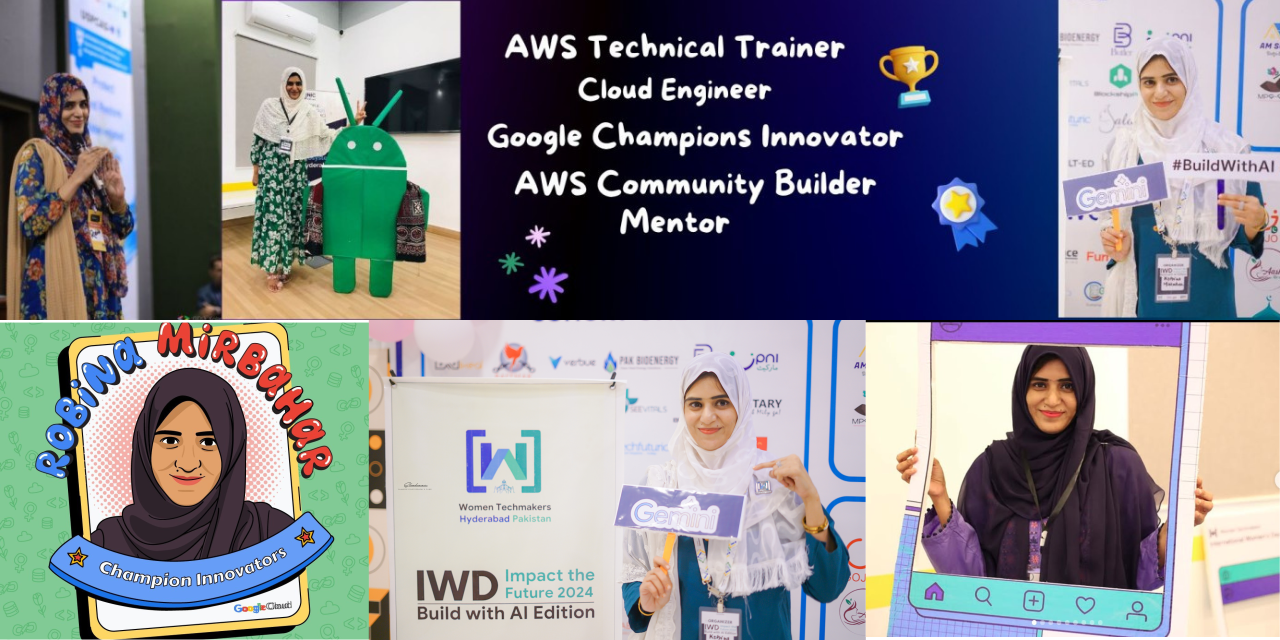
Robina Mirbahar — Google Cloud & AI Architect
Google Developer Expert (GDE) in Cloud & AI • Published Author • Multi-Agent Systems & Serverless GPU Builder







