Repository navigation
feat(pages): show and edit grid pages of an application - #3215
Open
rubenvdlinde wants to merge 3 commits into
Open
rubenvdlinde wants to merge 3 commits into
rubenvdlinde wants to merge 3 commits into
Conversation


This was referenced Nov 3, 2026


An application gets a page bar under its description, built as a tab
list: one tab stop, the arrow keys, Home and End move between pages.
Its owner can add grid pages with a title, a named icon, a technical
name and a description, and arrange their widgets in an edit mode that
saves the whole grid through the api/2 page endpoints. Widgets can be
moved and resized from their menu with the keyboard, and unsaved
changes are confirmed before leaving the page.

Assisted-by: ClaudeCode:claude-opus-5-5
Signed-off-by: Ruben van der Linde <ruben@conduction.nl>
…up the texts

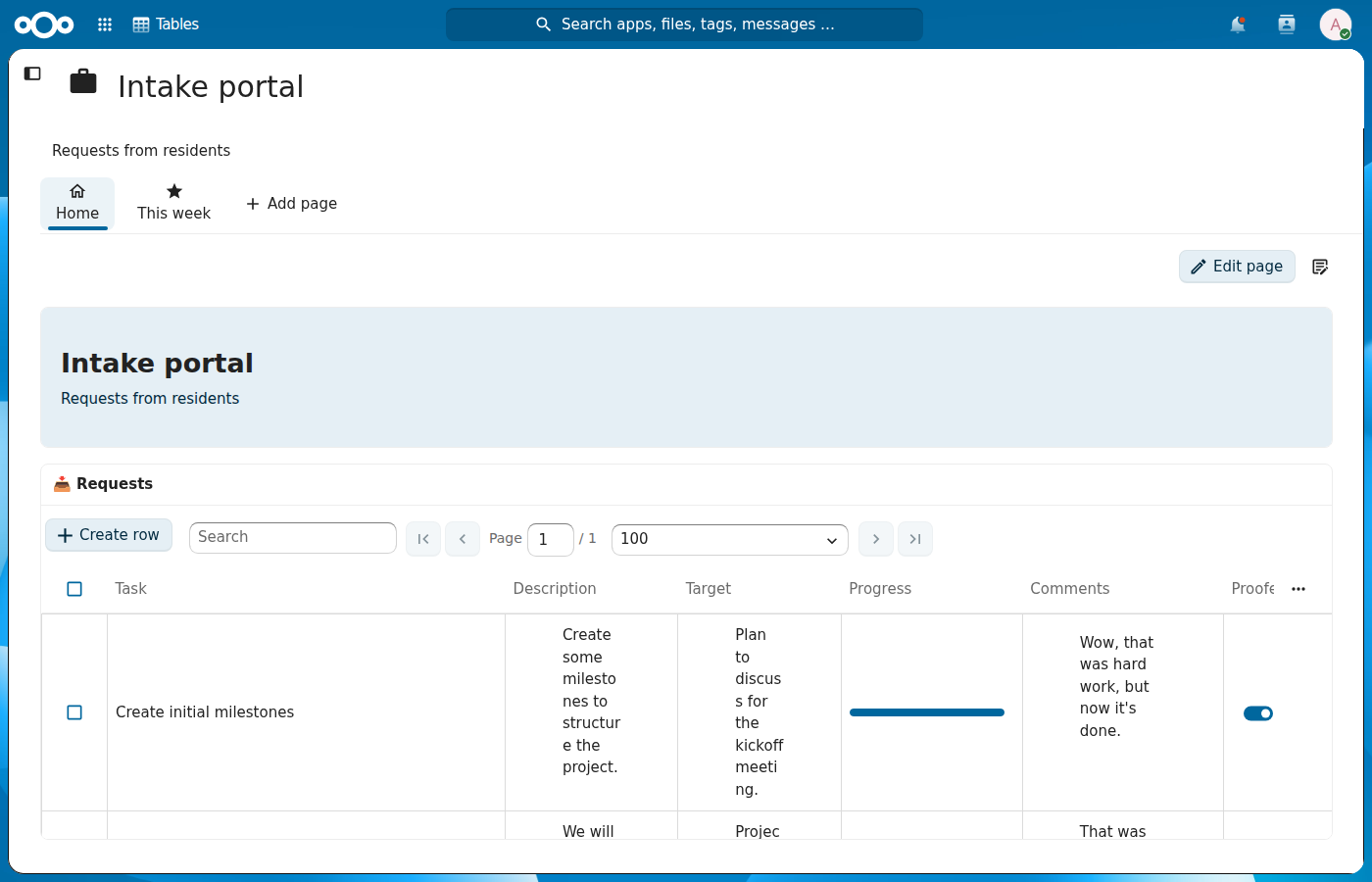
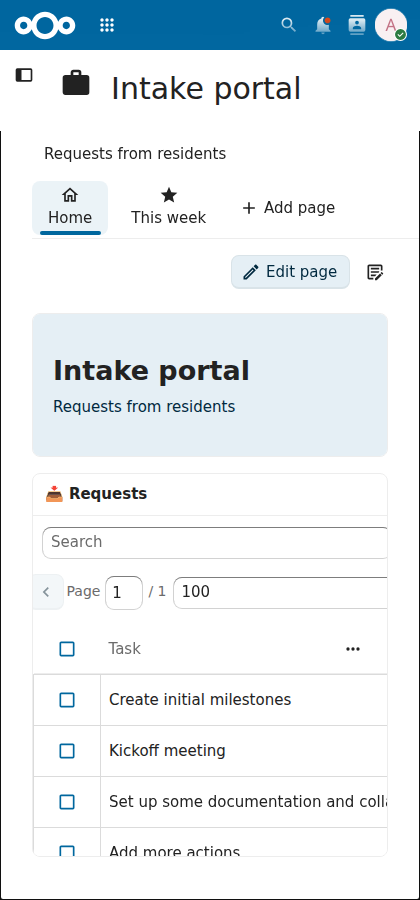
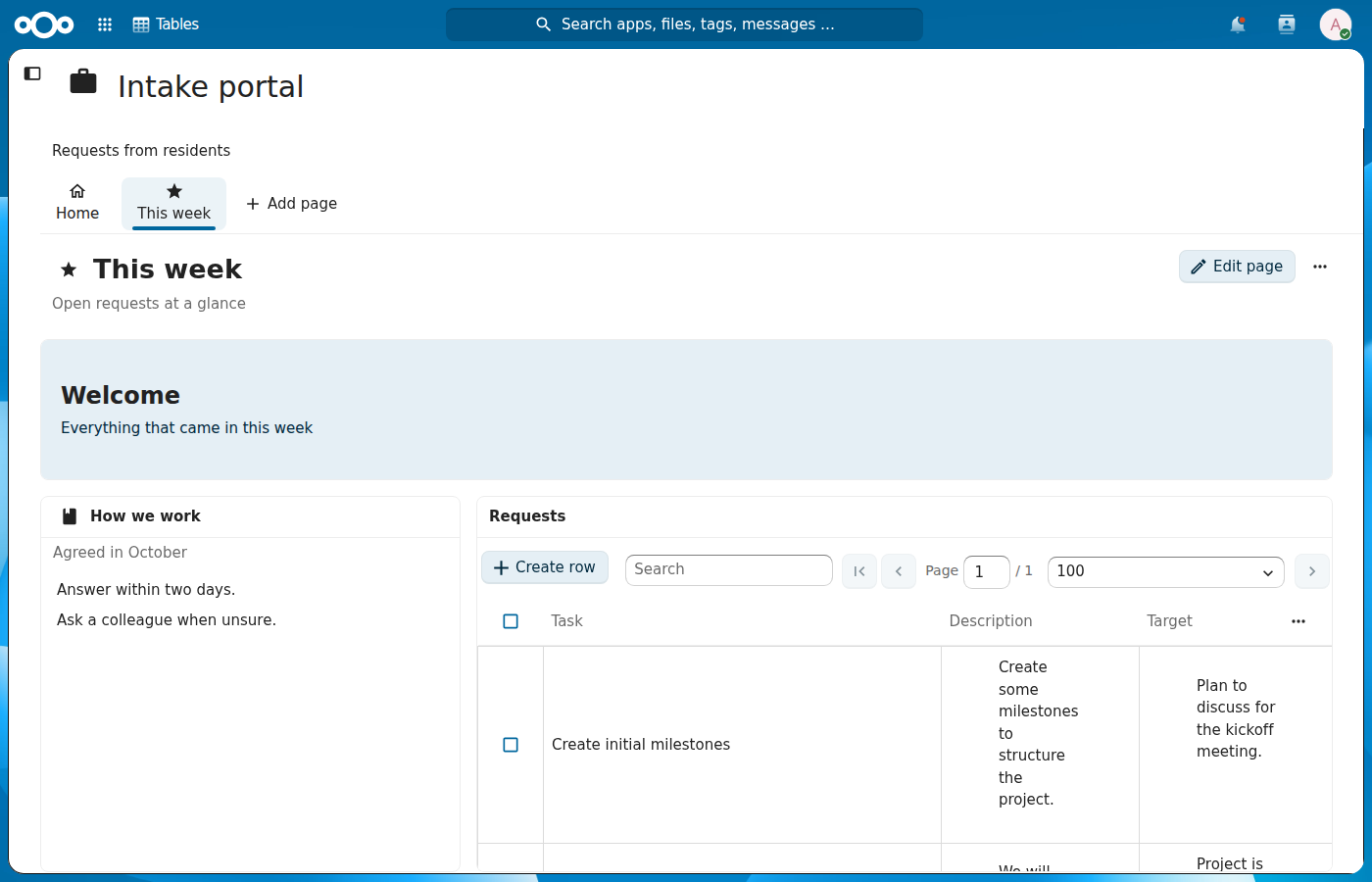
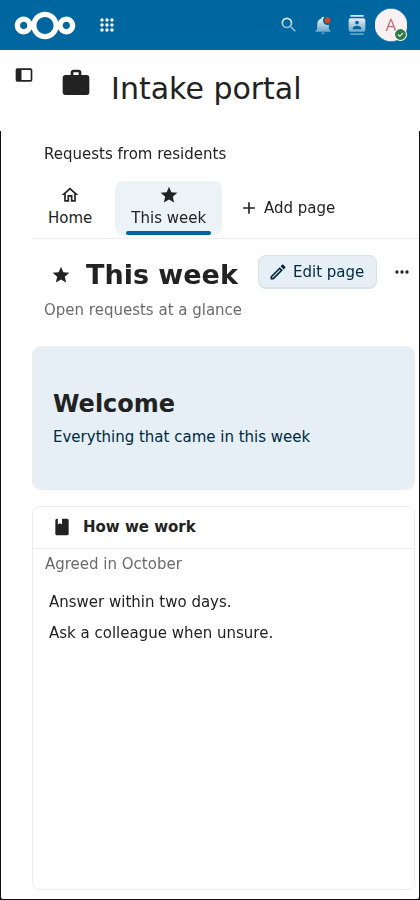
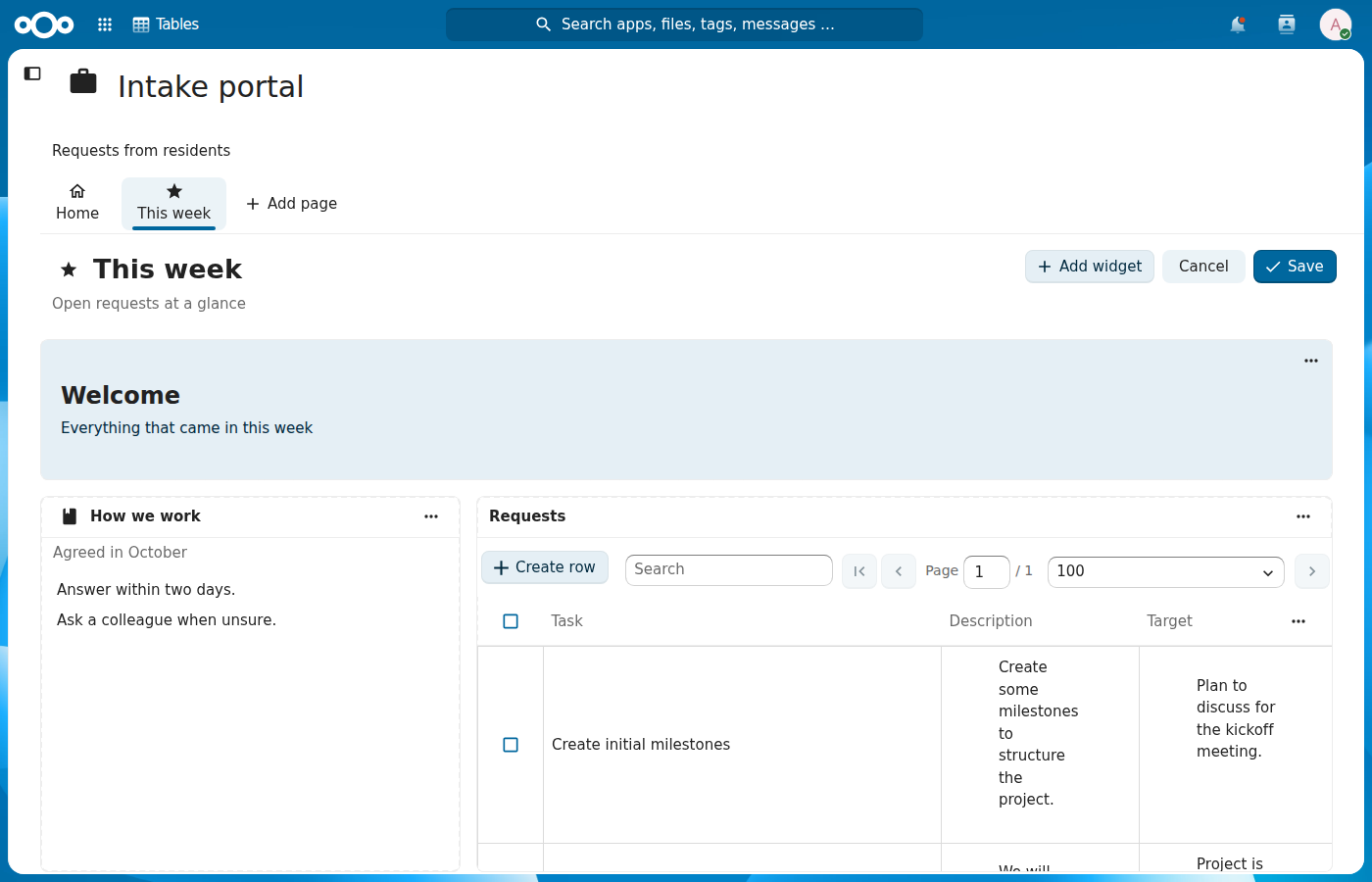
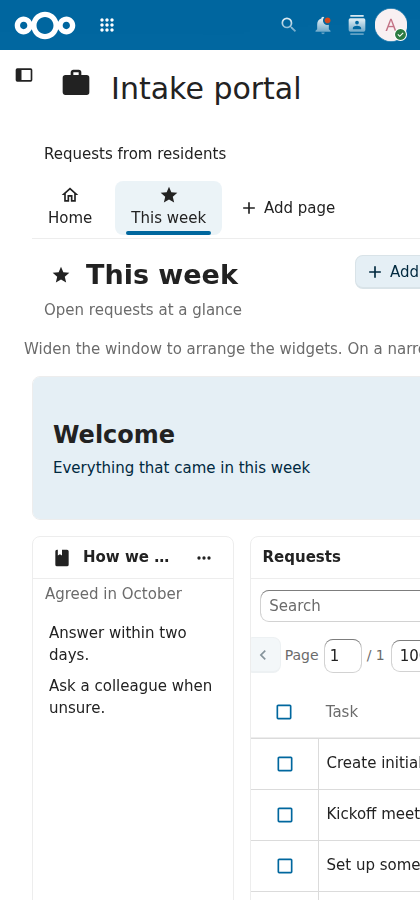
The page tabs look like the tabs of NcAppSidebar: an icon above the title, the
selected tab tinted and underlined. The start page of an application is called Home
until it gets a title, like the home of a conversation in Talk. Saving a page uses the
checkmark, and the page actions sit on the right also when the page shows no heading.
The descriptions of the application and of a page line up with the page tabs and the
texts in the widgets.

Assisted-by: ClaudeCode:claude-opus-5-5
Signed-off-by: Ruben van der Linde <ruben@conduction.nl>
rubenvdlinde
force-pushed
the
feat/noid/grid-pages-ui
branch
from
November 5, 2026 11:59
d05e9b5 to
844d24f
Compare
The start page still lists its tables here, so they keep their own heading. Only a table
in a widget of a grid page shows its title in the widget.

Assisted-by: ClaudeCode:claude-opus-5-5
Signed-off-by: Ruben van der Linde <ruben@conduction.nl>

Author
|
Following @jancborchardt's feedback on #3099: the page tabs look like the NcAppSidebar tabs, the start page is called Home, saving uses the checkmark, "Edit page" sits on the right on every page, and the descriptions line up with the page tabs and the widget texts.
|
rubenvdlinde
marked this pull request as ready for review
November 6, 2026 08:24
This was referenced Nov 7, 2026
This file contains hidden or bidirectional Unicode text that may be interpreted or compiled differently than what appears below. To review, open the file in an editor that reveals hidden Unicode characters.
Learn more about bidirectional Unicode characters
Sign up for free
to join this conversation on GitHub.
Already have an account?
Sign in to comment

Add this suggestion to a batch that can be applied as a single commit.This suggestion is invalid because no changes were made to the code.Suggestions cannot be applied while the pull request is closed.Suggestions cannot be applied while viewing a subset of changes.Only one suggestion per line can be applied in a batch.Add this suggestion to a batch that can be applied as a single commit.Applying suggestions on deleted lines is not supported.You must change the existing code in this line in order to create a valid suggestion.Outdated suggestions cannot be applied.This suggestion has been applied or marked resolved.Suggestions cannot be applied from pending reviews.Suggestions cannot be applied on multi-line comments.Suggestions cannot be applied while the pull request is queued to merge.Suggestion cannot be applied right now. Please check back later.
Part of #3099, on top of #3214 (widget dialog). An application gets a page bar under its description, and the people who manage it can add grid pages and arrange widgets on them. The start page still lists its tables and views as before; #3216 shows it as a grid page too.
Size: 1453 lines: 1094 code and 359 tests.
What changes
tablistwith one tab stop, the arrow keys, Home and End move between tabs, Enter or Space opens one, and each tab hasaria-selectedandaria-controlspointing at the page panel, which is labelled by its tab. In a right-to-left language the arrow keys follow the reading direction.page_<number>form the server keeps for itself. Without one the page getspage_<id>.PATCH /api/2/contexts/{contextId}/pages/{pageId}, Cancel drops every change, and leaving the page or closing the tab with unsaved changes asks first./application/{contextId}/page/{pageId}opens a grid page.Where else applications show up
Applications and their pages have no public share page, and the Smart Picker and reference widgets only cover tables and views, so there's nothing to wire up there.
How it was tested
On Nextcloud 34 with PostgreSQL:
context-grid-pages.spec.ts: adding a page with a title, icon, technical name and description, adding a header and a table widget and finding them after a reload, Cancel drops changes, a sharee sees the page read-only and gets a 403 on PATCH, a table removed from the application leaves its widget asking for a new one, and moving and resizing a widget from its menuContextPageBar.cy.js(order, one tab stop, arrow keys, Home and End, add only for managers) andContextPageForm.cy.js(technical name checks, keeping an automatic name)npm run lint,npm run stylelintandnpm run build🖼️ Screenshots
🏁 Checklist
/backport to stableX.X🤖 AI (if applicable)